 Shutterguard
Check the room before you settle in.
Shutterguard uses your iPhone's flash and camera to look for lens-like reflections. Free to use. Nothing leaves your phone.

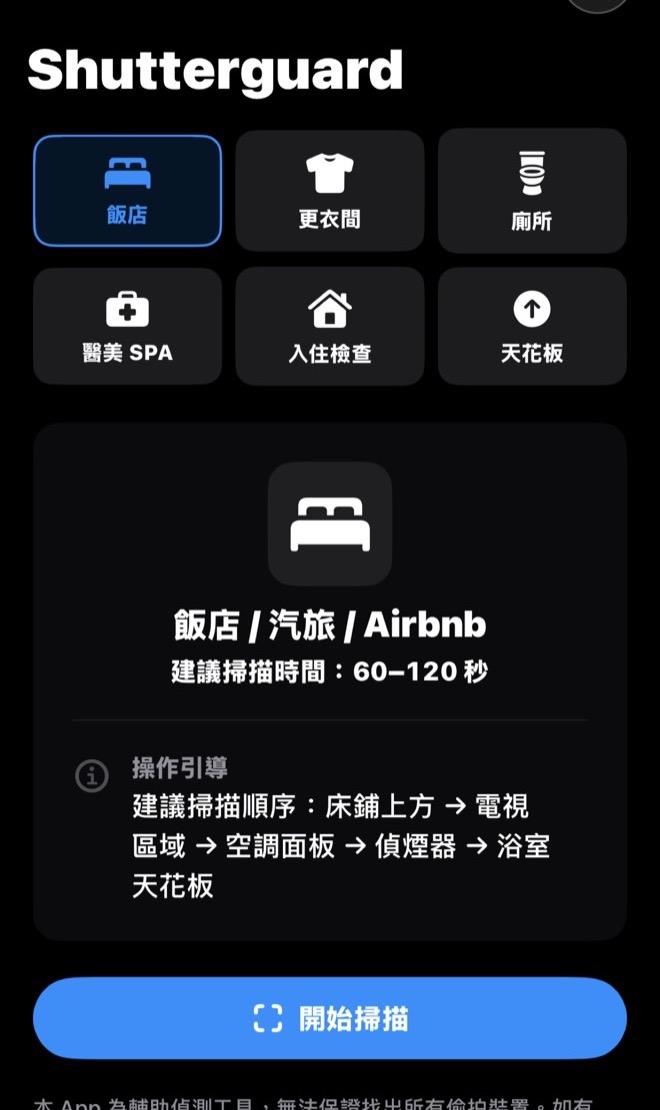
Hotel rooms, fitting rooms, restrooms. About a minute each.
Each scene comes with a suggested scan order. The results show what was found and leave the judgment to you.
- 1
Pick a scene
Hotel, fitting room, public restroom, clinic or spa, rental check-in, or ceiling. Each has its own route.
- 2
Follow the prompts
Close the curtains or dim the lights for best results. When a bright spot shows up, move closer or change the angle to confirm it.
- 3
Read the clues
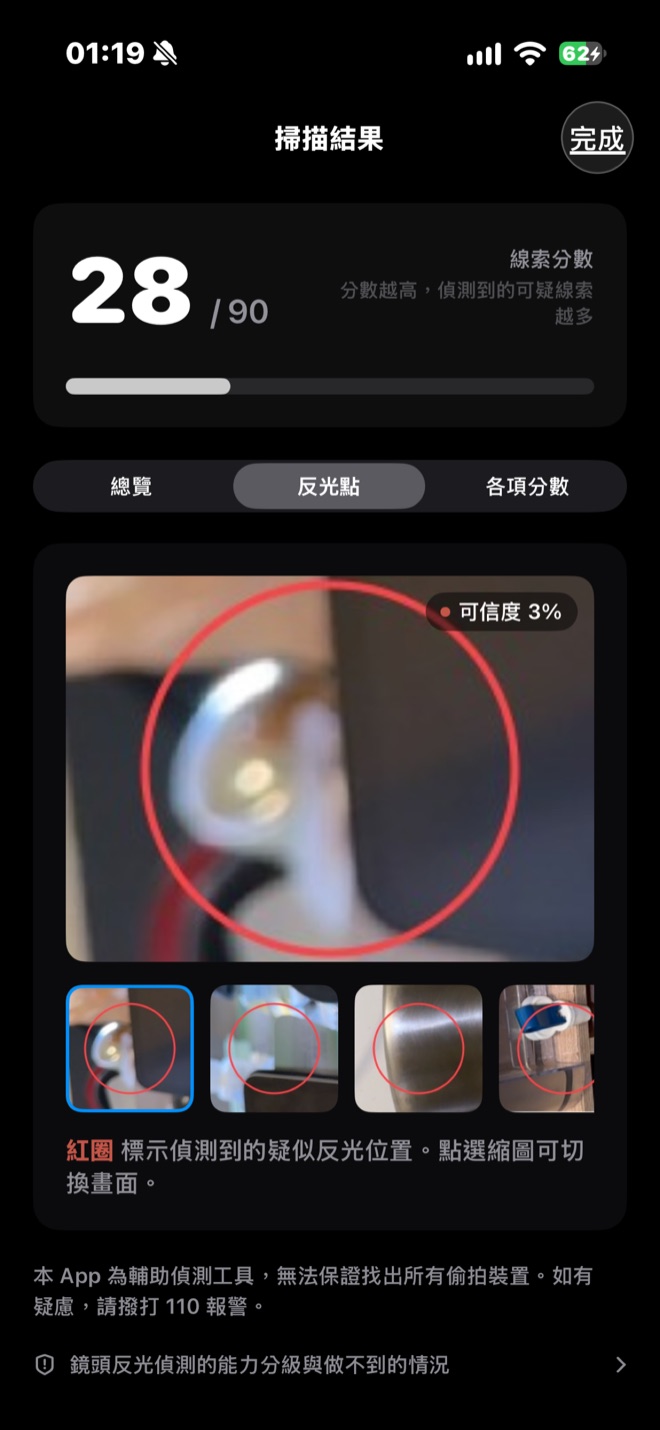
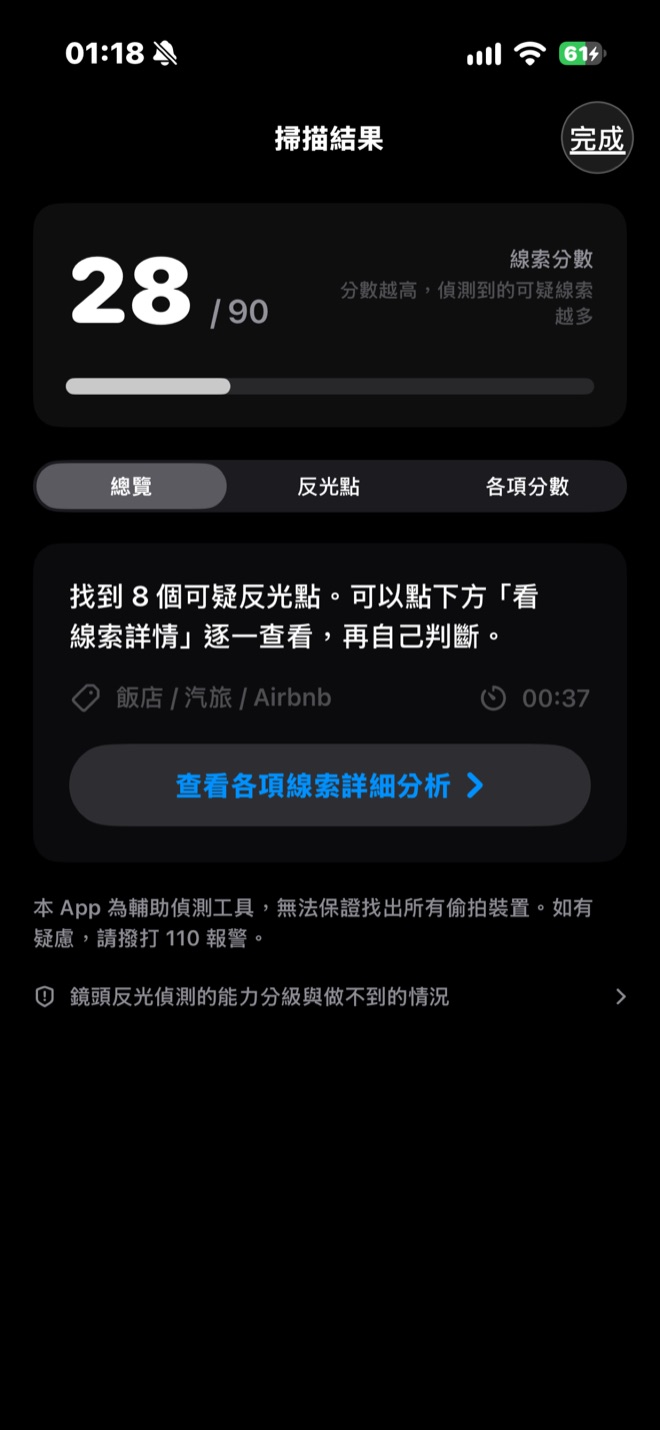
Each reflection is marked with likely causes. A higher score means more clues, not proof of a hidden camera.
Free to start. Upgrades are one-time purchases.
No subscriptions. Buy once, keep it.
Free
Try it out
- Photo-based lens reflection check
- Infrared check (lights off)
- Keeps your last 10 scans
Pro
For frequent travelers who want a fuller check
- Sweep-mode lens check: the flash pulses quickly, then confirms bright spots up close automatically
- Bluetooth, ultrasonic noise and same-network Wi‑Fi camera checks
- Magnetic field reading for reference (not scored)
- Discreet mode and arrival reminders
- Unlimited history, full evidence photos, export
Pro+
iPhone models with LiDAR only
- Everything in Pro
- 3D room map to place clues in context
Pro+ includes Pro, so there is no need to buy both. Prices vary by region and are shown in the App Store. Requires an iPhone with iOS 17 or later. The app interface is currently in Traditional Chinese.
What it cannot do
Lens detection relies on the flash reflecting off a lens. If there is no reflection to catch, no method will find it.
Covered or powered-off lenses
A camera that is off, covered by metal, or only runs on a schedule gives nothing to detect.
Deep pinholes and anti-reflective coatings
When the hole is much deeper than it is wide, or the lens has an advanced coating, the reflection is very weak.
Too much light
Daylight or a brightly lit room drowns out the reflection. Close the curtains or turn off the lights first.
Too far away
Beyond about 2 meters the reflection is too faint to separate from noise.
Steep angles
A lens reflects most strongly within about 10 to 20 degrees of straight on. Scanning from several angles helps.
Devices built to avoid detection
Electronic shutters and special housings can defeat optical detection entirely.
Treat the result as a reference, not a guarantee of safety. If you have concerns, contact local police.
Your data stays on your phone
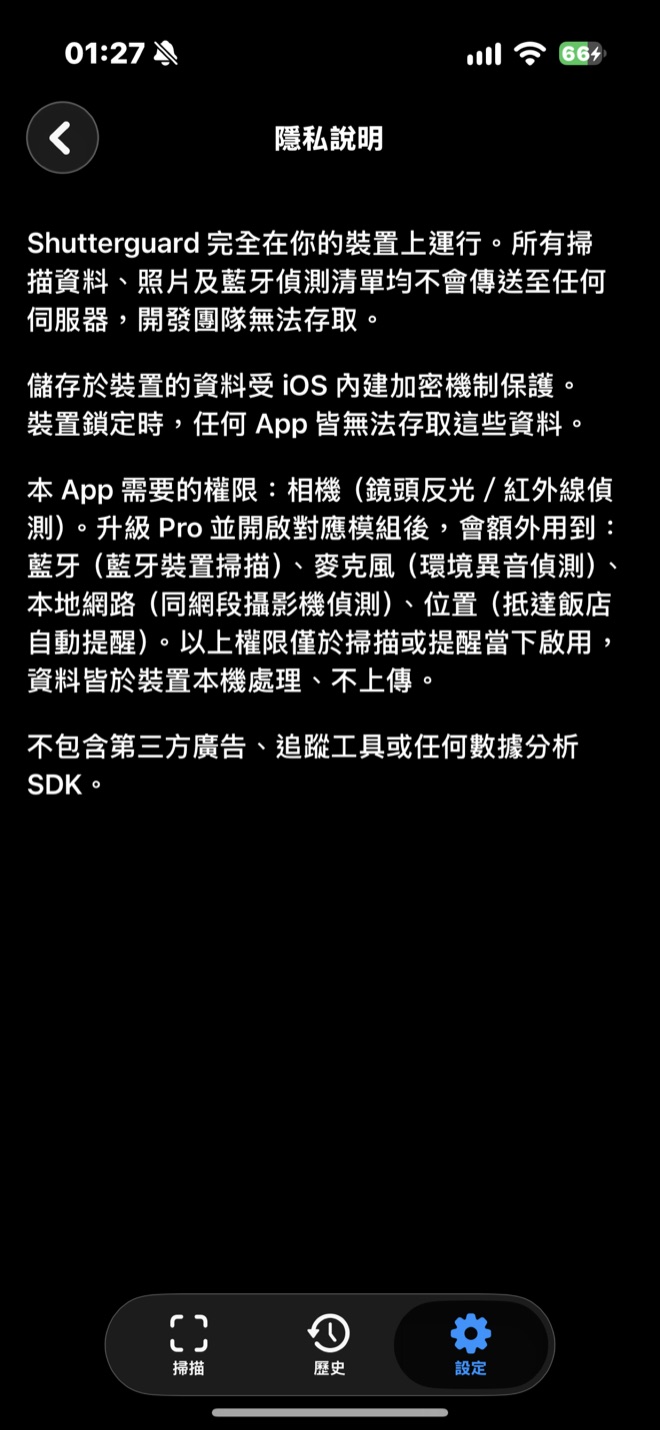
- No uploadsScan history, photos and Bluetooth device lists never go to any server. The developer cannot see them.
- No accountNo sign-up, email or name required.
- No ads or trackingNeither the app nor this website includes ads, trackers or analytics.